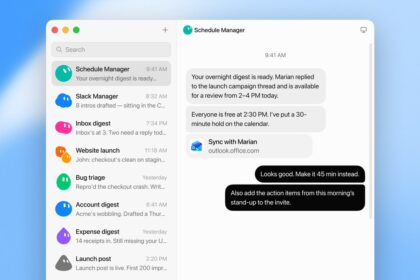

TestingCatalog has reported a new “Templates” tab, along with the much-requested multi-account controls visible in the unreleased Grok Bot settings panes as of today, August 24, 2026.
The new additional options also include some quality-of-life features to help new users get set up quickly and get going with their Grok Bot.
Templates
The unreleased Templates tab will allow users to browse shared Grok Bot templates, which will likely be Grok Bots set up by other users in a Marketplace model, as we guessed in our earlier article.
Users will be able to let a setup Grok Bot “Pack” itself, enabling the publishing of a shared link. Sharing that link (or sharing it to the Template Marketplace), enables another user to simply click the link and hit “Add to Grok Bot”, letting them import a new Bot with just a few clicks.
🤖SpaceXAI is working on Shareable Templates for Grok Bot.
Ask a Grok Bot to pack itself. It stages a private draft, you publish a share link, and the other person imports simply by going to the link and clicking Add to Grok Bot
This is so cool! We can't wait till this ships… https://t.co/nrfMxgu8vc pic.twitter.com/3Y2OHV712D
— ️ (@blankspeaker) August 24, 2026Pre-staged Grok Bot templates will make new deployments, for both new and existing users, even more seamless.
Multi-Account Support
Multi-Account or “Multi-Business” support for Grok Bots with hard context isolation is a feature that users have been asking for almost immediately with the launch of Grok Bot. SpaceXAI’s Tibor, who works on the Grok Bot and Cursor teams, confirmed that they intend to add Multi-Account support with profiles soon.
This will enable users to have Grok Bots for their personal life, as well as Grok Bots for their business, without having the context between the various Bot ecosystems bleed over. For those running multiple small businesses, this is an extremely helpful feature.
New QoL Features
SpaceXAI is also adding some upcoming new quality-of-life features for Grok Bot. First up is a new Chrome-based profile import tool. This will transfer cookies and authenticated sessions from a user’s Chrome or Chromium-based browser directly into Grok Bot’s virtual cloud machine.
That means you can get Grok Bot off the ground and working on your tasks faster than ever, without needing to input usernames and passwords when Grok Bot requests your input for a task.
In addition, desktop egress routing will tunnel your Bot’s cloud-computer traffic through your local desktop device. This will help to prevent your Bot from being blocked by sites that automatically block datacentre IPs.