Grok Bot is now available for enterprise subscriptions. Grok and Cursor Enterprise customers get free usage for the next two weeks and can invite their whole organisation, including people without an existing seat.
The release adds the access, network, and audit controls enterprises need to govern Bots at scale. Admins turn the product on organisation-wide from the Grok Bot page in the Cursor dashboard, then set the policies that shape how workers connect and what gets logged.
Two Weeks Free for Enterprise Customers
xAI’s product news says Grok and Cursor Enterprise customers can activate Grok Bot free for two weeks and pull in the full organisation during that window, including colleagues who do not already hold a seat, so a trial does not have to wait on seat-by-seat provisioning.
xAI describes Grok Bot as a team of AI teammates that take real tasks end to end inside the same tools people already use. Each Bot runs on a cloud computer, can follow a demonstrated workflow, and can message other Bots when work needs to move between jobs.
Access, Network, and Audit Controls
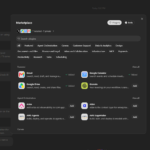
The enterprise-only admin controls sit on the Grok Bot page of the Cursor Enterprise dashboard. The organisation-wide “Enable Grok Bot” switch turns it on for all applicable users at a basic level. However, enterprise administrators will still need to finish the privacy, pricing, and model setup steps in the setup window prior to it actually being enabled for users.
Network Controls and Action Recording are also Enterprise only features, with Action Recording turned off by default. Network Controls provide destination policy modes, directory-group scopes, and locks for teams. For those teams without a policy already setup, the default is allow-all, while self-serve teams do not get access to Network Controls quite yet.
Action recording provides a task-by-task list of events on the Enterprise Audit Log page, enabling administrators to track Grok Bot usage and actions. Enterprise admins can also configure OpenTelemetry export in Team Settings to push that out to their own databases for analysis.
Audit logs cover admin, security, and authentication events in the dashboard or via a SIEM stream, and computer management lets organisation admins look up a member’s computer and terminate it when needed. For the fuller security model, xAI points reviewers to the teams and enterprises docs and its Grok Bot security pages.
Who Can Invite
On a pooled Enterprise team, members can request access from the Grok Bot desktop or mobile apps. If an admin has not finished setup, they see a team-setup message instead, requesting them to reach out to their enterprise administrator to enable the feature. Self-serve teams without enterprise capabilities will need to enable the feature on a seat-by-seat basis.
xAI says thousands of organisations have adopted Grok Bot since launch, naming Legora, Supermicro, and ServiceTitan as immediate starters. Usage spans sales, recruiting, marketing, finance, and engineering, with increasing growth outside the software engineering circle.