Grok Bot 1.0 has finally launched, and it expands how teams can work with a shared Bot in Slack, Microsoft Teams and video meetings. The Nov. 11 release notes, covering versions 1.0.0 and 1.0.1, add meeting summaries, shared app connections and a review step for what teammates teach a Bot.
Introducing Grok Bot 1.0. AI teammates that work alongside your whole team.
Share Bots, collaborate with them in Slack and Teams, invite them to meetings, and watch them learn and become more helpful. pic.twitter.com/7569CZRc9G
— Grok Bot (@bot) November 11, 2026One Bot for the Team
Team Bots were already available before 1.0., but this update makes them easier to share with specific people or groups and brings them into more of the places a team works. In Slack and Microsoft Teams, a Bot can follow a discussion involving several people, contribute information and offer to pick up a task.
SpaceXSI’s launch announcement also describes Bots following up on unfinished work and coordinating with other Bots. The company says they can recognize when a decision needs someone’s judgment and bring that person into the conversation.
Bots Can Join Meetings
Give a Bot a Google Meet, Zoom or Microsoft Teams meeting link and it can join the call, respond in the meeting chat and send a summary afterward. SpaceXSI says Bots can use context from earlier conversations and keep track of decisions made during a call.
Meeting support is available on Team, Enterprise and Ultra plans. Enterprise admins can enable it in settings. Shared Team Bots are available on Team and Enterprise plans.
Managers Approve What Bots Learn
What a teammate teaches a shared Bot goes into “Review learnings.” An owner or Manager has to approve it before the Bot adopts it. That gives the people managing the Bot a chance to check a proposed change before it affects everyone who uses it.
There are also controls for sharing Bots and connecting accounts. Team admins can restrict who shares Bots. For Microsoft Teams, a team admin enables the feature, an owner or Manager connects the Bot, and a Teams admin approves it.
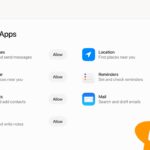
Owners and Managers can share their own app connections after a team admin enables “Allow Shared Logins.” SpaceXSI says Bots respect each person’s permissions and check whether information is appropriate to share in a public channel.
The broader 1.0 update also includes improvements to browser use, documents and presentations, plus interactive Pages. For the shopping tools and usage-limit changes that preceded it, see This Week in Grok, Nov. 8.