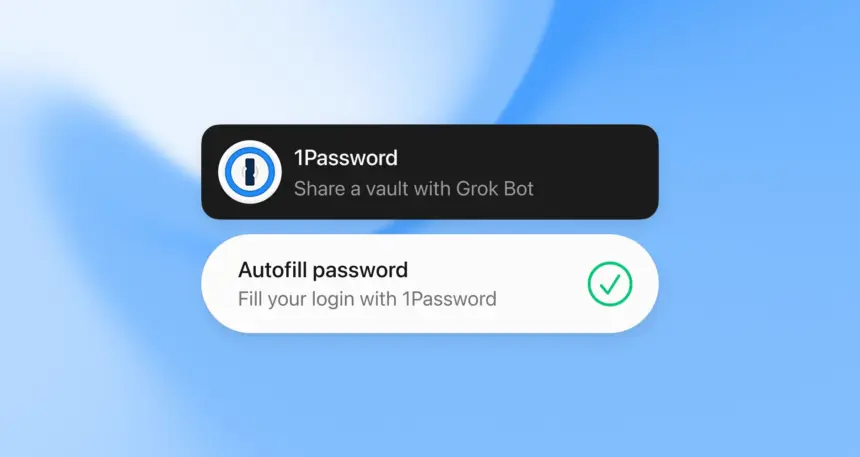
Grok Bot can now fill credentials using what you’ve saved in 1Password. That means you can share a 1Password Vault with the Bot, and when a password is required, a request is sent to you for approval for Bot to use it.
The actual secret password stays in the secret password manager, instead of living on as a stored login inside the Grok Bot app or the VM.
Grok Bot will also soon be able to manage its own set of credentials, according to the new partnership between SpaceXAI and 1Password. This, as well as more improvements are coming soon to Grok Bot in future updates.
We’re partnering with 1Password to help Bots securely and easily manage their own credentials.
More improvements coming soon.
Try Grok Bot here: https://t.co/9vzMiVbBeW
— Grok Bot (@bot) September 16, 2026Alongside Stripe Link for Grok Bot, which recently began expanding outside the United States, this closes a major usability gap for Grok Bot when it comes to shopping and checkout. Grok Bot already can browse the open web, and now it can log into your accounts and finish paying once you approve a spend, just like a human does.
Many sites still ask for a password or saved account, like Amazon, before they’ll allow checkout. Passing that information as a secret to Bot will let you skip the awkward flow-breaking step of needing to intervene manually in your Bot’s screen.
1Password fills that gap without turning the agent into a password vault. You share the vault items the Bot is allowed to touch, and each fill still stops for a human OK. The credential itself stays in 1Password; the Bot gets a fill when you say so, not a reusable secret parked in its session.
Share the Vault, Approve the Fill
Passwords and accounts live inside your 1Password vault until you choose to share them. Grok Bot doesn’t actually get access to all these without your implicit approval, each time it is needed. Bot will request access to your 1Password Vault once you’ve added the connector from Marketplace > 1Password and signed in using OAuth.
Once you approve a request, your secrets are safely and securely entered without passing through Bot’s actual thinking chain using the secrets capability, making sure your passwords are kept as secure as possible. This also matches the same human-in-the-loop pattern already used for purchases and other binding actions. The agent does the clicking and form-filling, but you still own the sensitive steps.
For anyone who already treats Grok Bot as a shopping teammate, checkout is not only a payment rail. It is also the login wall, the saved-account prompt, and the password field that used to force a handoff or a stored secret. Keeping those secrets in the password manager means the Bot can keep working through a retailer flow without becoming the place where credentials are kept, and you still get a clear stop before each sensitive fill.
Platforms and Plans Still Open
Access to 1Password is now immediately available, and if you’ve already got a plan with them, you’ll be able to simply add the connector and authenticate via OAuth inside the Grok Bot App. Once that’s done, you’re set to continue using 1Password and Grok Bot together without any additional steps in between.
Any users of 1Password can simply go ahead and sign-up without any additional fees to connect to Grok Bot.