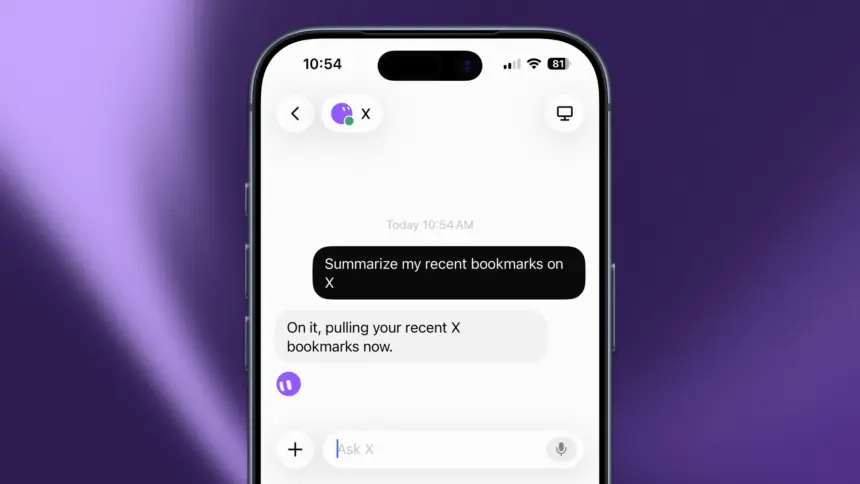
xAI connected Grok Bot to X on 29 August, so the persistent AI teammates can search posts, read a timeline, and check mentions from inside the Grok Bot app. Paid Grok Bot users also get free starter X API credits.
SpaceXAI said users can now open Grok Bot and sign in with a new X connector. Starting the process will automatically create an X developer account for users if they don’t already have one. This is the first official path for Grok Bot to pull live posts the same way it already signs into other tools, instead of waiting on someone to paste links into chat.
Search, Timelines, and Mentions
Once the connector is signed in, SpaceXAI says you can ask a Bot to search posts, read your timeline, check mentions, or pull together what is happening on X. The company called this the first version of the integration, and said it wants to keep making it easier for Grok Bot to do real work on X.
A connector is not a chatbot window. It is a signed-in X account plus the X API, which is the fuel those search and mention jobs will burn. The starter credits for paid users are what make the first jobs free to run. In addition, those with X Premium+ will receive $20 USD of credits every month.
Grok Bot
Grok Bot is SpaceXAI’s always-on teammate product. Named Bots run on a persistent cloud computer, sign into apps and websites, and come back when they need approval. SpaceXAI launched it on 11 August and still lists the product as early beta on the download page at x.ai/bot.
Grok Bot is included on eligible Cursor, SuperGrok and Teams plans. The product page lists a macOS download and an iOS app, with Bots reachable from desktop and the pocket. The X connector fits that model: the Bot uses the account you attach, then goes looking while you are doing something else.
Not Just Grok on X
While Grok has been available as an AI chatbot on X for quite some time, including the ability to search, paraphrase, and transcribe posts and videos on your timeline, Grok Bot’s beta functionality didn’t include these features. It was a standalone product without explicit support for the X API.
It is also separate from X Chat Agents, the encrypted service-bot layer xAI just opened for developers inside X Chat. Chat Agents live in messages, designed for helping solve customer problems. The X connector is for Grok Bot’s own computer, so a teammate can watch the firehose of X posts and come back with a brief.
Getting Started
SpaceXAI’s steps are short. Open Grok Bot, sign in with the X connector, then send the Bot after posts, the timeline, or mentions. This is the first initial setup for the workflow in a beta state, with further refinement to come soon.
For readers who already run Grok Bots to pull live news, it is the first official way to put those Bots on X without a human in the loop for every search.