
Grok Bot can now share custom AI bot templates. You can now package a specialised Grok Bot teammate and hand it to someone else, instead of asking the next user to rebuild the role from a blank chat.
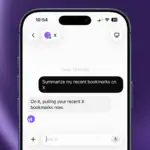
The official @bot account on X posted a 16-second demo of the new feature, showing off how quickly you can export and share a bot, and just how fast the import process is as well. Matt Palmer, who works on Cursor and Grok Bot at SpaceXAI, followed with a longer walkthrough, covering template 101s, sharing, publishing, installing, as well as setup for more complex multi-bot templates, authoring tips, and evaluating templates.
xAI’s Grok Bot docs have already been updated to describe the official path to Template Sharing. Open a Bot, copy its public share link, and let the recipient preview it on x.ai before choosing Add to Grok Bot. The final step, to add the bot, needs to be completed from inside the Grok Bot app, whether on desktop or iOS. That flow now sits inside Templates, rather than remaining a quiet share-link option.
How Template Sharing Works
The official demo walks through Share as template, publish drafts, and open a shared Bot. One example is “Meet Sales Outbound,” a teammate that researches prospects and drafts campaigns. The same pattern applies to operations or sales outreach: define the role once, pack it, and let another account start from that setup.
A template can be staged as a draft before it is published, as we saw in the preview earlier last week, enabling you to do the prep work, and then finalize at your own pace.
What A Shared Template Transfers
The official documents are quite clear on what a shared Grok Bot Template actually transfers. Adding a template Bot creates a copy of the Bot on the recipient’s account. That means it doesn’t bring over the author’s virtual computer access, logins, or any conversation history.
In addition, share links are public, so anyone with it can view the Bot’s shared configuration, including its identity, description, skills, and routines. xAI tells authors to strip API keys, internal URLs, customer data, and anything else they would not put in a public document.
Shared Bots are created by other users, not by SpaceXAI. That means that adding one means accepting the recently updated third-party bot terms. SpaceXAI’s own pages on security and privacy also mention that sharing a Bot isn’t a security boundary. A template only equates the starting condition and instructions of a Bot, not a cloning of chat history and keys.